

This guide will help you on how to download your Valheim server BepInEx ModPack folder
If you getting the Incompatibility Error when joining your server or for some reason, Make sure you are not opted in to any betas and you want to download all your mods and configs from your server to your computer, you can use our automatic BepInEx ModPack installer.
- Stop your server
- Close your Valheim game
- Press the Download BepInEx ModPack button
- Go to the File Manager button and download the BepInExModPack.exe file to your computer as example below
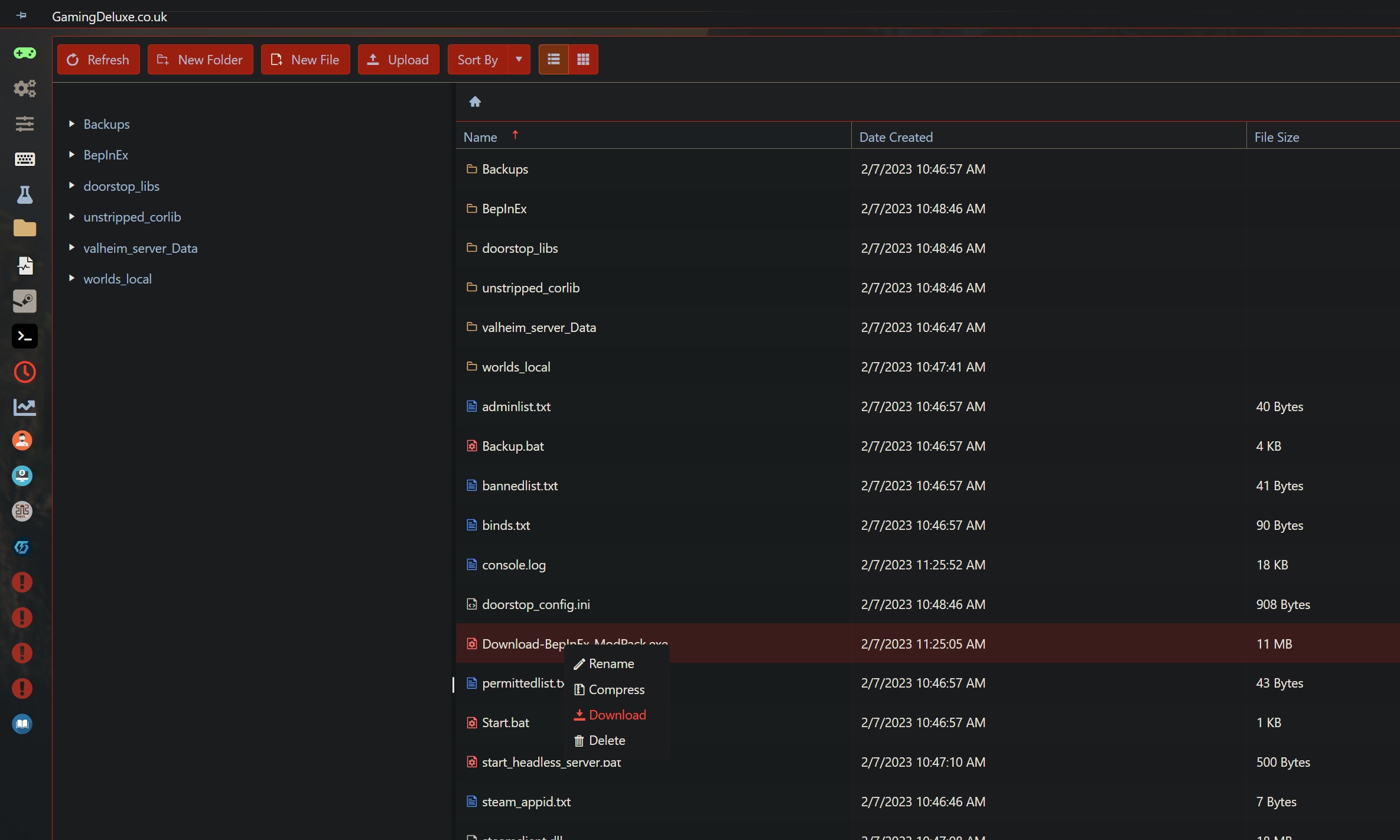
- Execute the BepInExModPack.exe file you download to your computer and extract it to your Valheim installation folder, if it gives you a Warning when executing, accept, it's perfectly safe!

Adding BepInEx mods or Valheim Plus? Our Valheim Server Setup guide walks through the whole server in one place, from launch options and world files to world modifiers, crossplay, mods and admins, and lists every Valheim article in this knowledge base by topic.


