This guide will help you how to add a workshop map to your Counter Strike: 2 dedicated server.
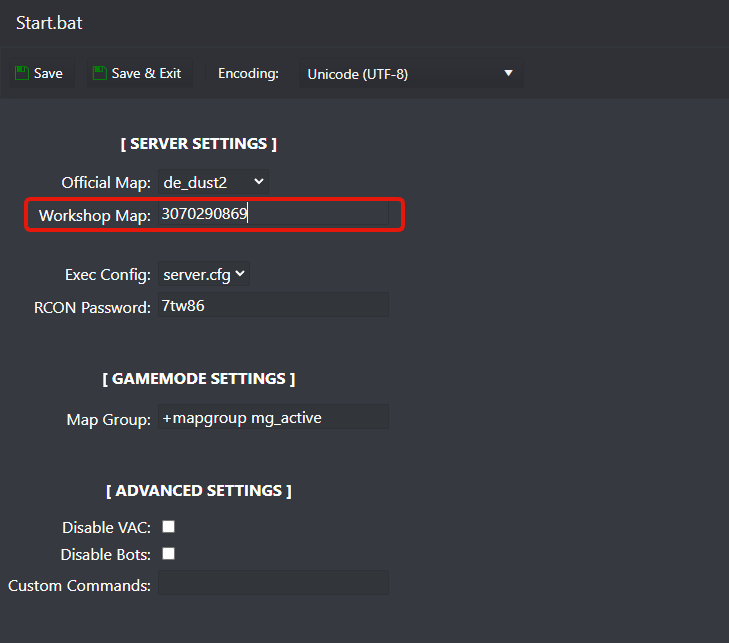
For this guide we are going to use the awp_india map as an example: https://steamcommunity.com/sharedfiles/filedetails/?id=3070290869 you just need to get the Workshop ID of the map you want to run on your CS2 server and add it to your server Start.bat file, check how below.
The ID is at the end of the URL, in the awp_india example we are going to use for this guide, the Workshop ID is: 3070290869 open Counter Strike: 2 Steam Workshop on your internet browser and search the map you want, get the ID from the URL now check below how to add the Workshop ID to your GamingDeluxe CS2 dedicated server.
- Stop server
- Go to Configuration Files button and edit Start.bat file
- Add the Workshop ID to Workshop Map field and Save&Exit the file
- Start server