
For this guide, we are going to set up a scheduled task to restart the server every 12 hours with 30 minutes warning; you can adjust the restart cycle and also the message warning timer.
- Go to the Server Details button and get your RCON password
- Go to the Scheduled Tasks button and create a new Console/RCON Command task
- Fill in the details as requested ; check the image below for a visual aid on how to setup the fields
- Save the task
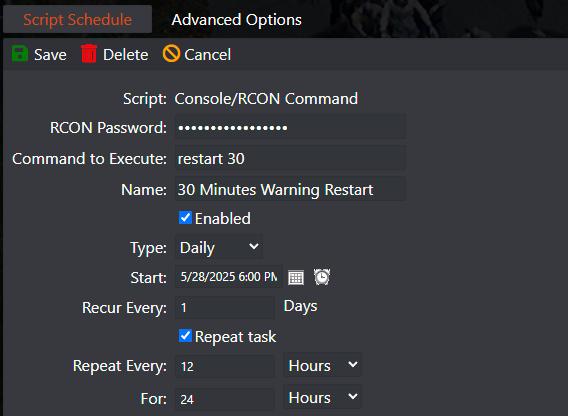
- If you want to change your server restart frequency, you just need to change the Repeat Every field.
- If you want to change the restart warning messages timer, you just change the Command to Execute


