
Firstly before installing Zomberry Admin tools we need to install the dependancy mod CF (community framework):
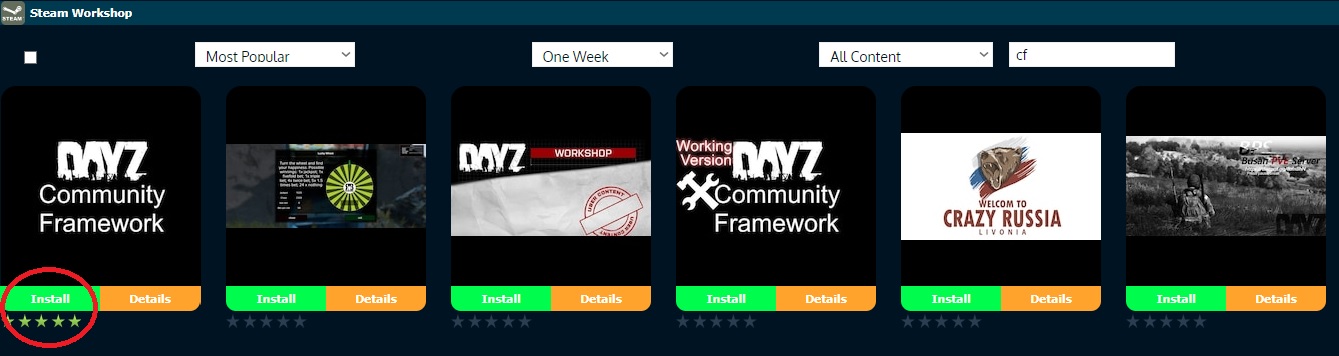
Click on your Steam Workshop button in the search bar look for "CF" (community framework)

Then we need to select Install, this will automaticly add the Community Framework ID to your server startup:
Next in the search bar look for "zomberry" (zomberry admin tools)

Next we need to install Zomberry:

Next we need to confirm it has been added to your startup commands in your configuration files section click on the Easy Configuration Editor button of your Workshop.mods file
if you are using the new (one click update all mods) system it should look like this: @cf = @1559212036 and @zomberry admin=@1582756848

Next Start the server for mod settings files to be created, then in your filemanager navigate to your SC\Zomberry\ folder or Profiles\Zomberry\ (latest template), at the top of the page use the "new file" button
create a new file called admins.cfg press "ok"
now in this new file add your admins BIGUID or steam64 id you can connect to the server and get this info from your zomberry admin connection log in your logs section, one id per new line as follows:

Save, and restart your server.
To issue Admin commands connect and type/press key "o" and the Admin menu will work
