
Firstly we need to make sure we have the latest server.jar from Microsoft, navigate to your updates section and click Install,

Next we need to stop the server and navigate to your configuration files section, click on the easy configurator next to your start.bat and select the server version you wish to start the server with, remember that the latest updates will be downloaded as "server.jar" this is the new naming convention (we/the community rename them by their server version)
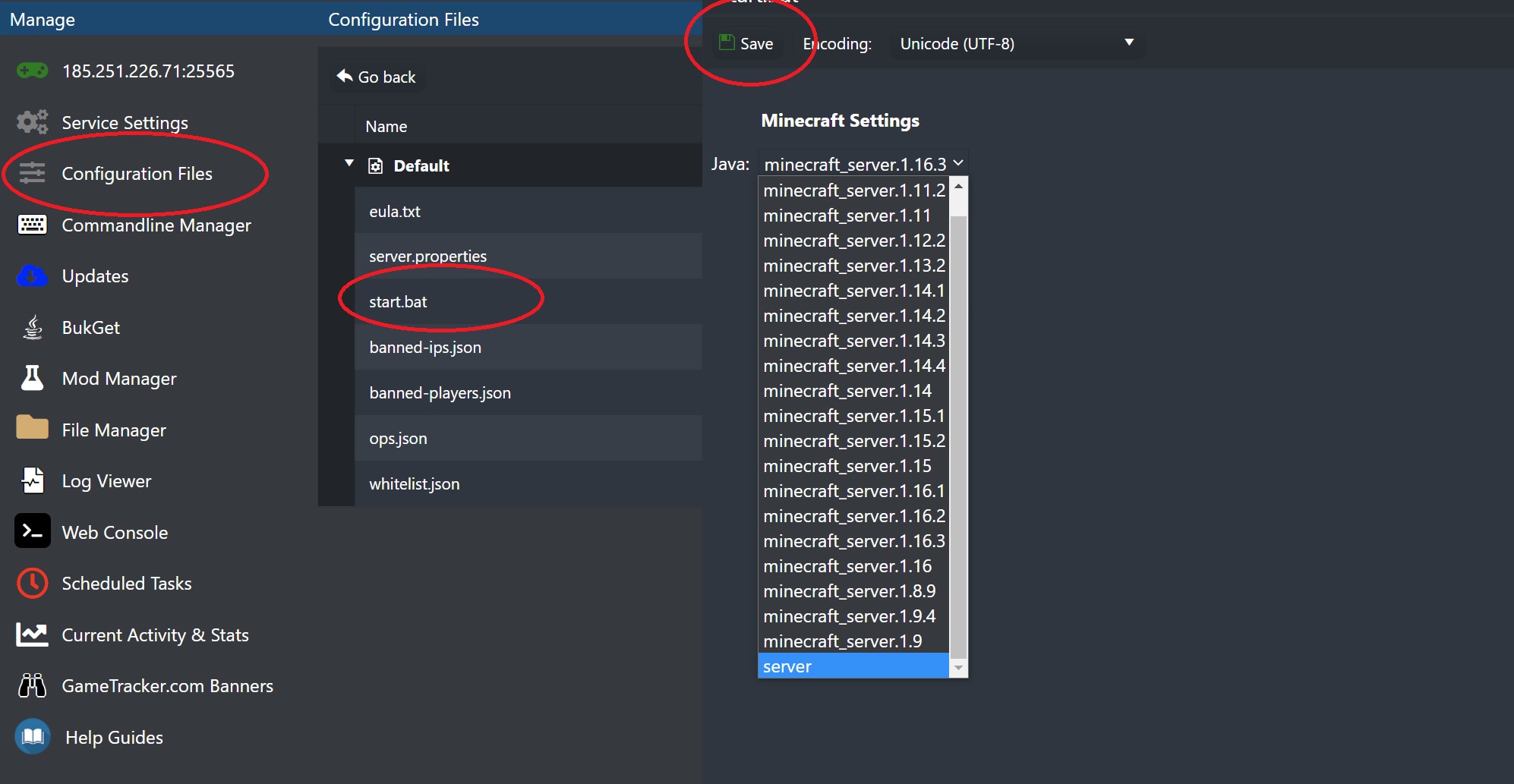
Press Save and restart the server, you can confirm from your web console what version/world is created.


