This guide will help you on how to add admins and setup their permissions on your 7 Days to Die dedicated server.
HOW TO ADD ADMINS
- Stop server
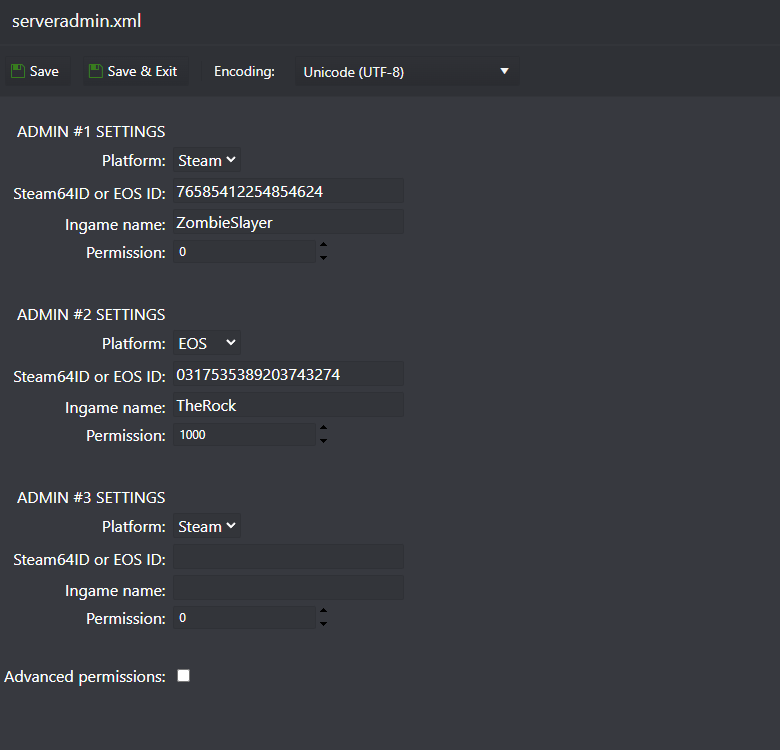
- Go to Configuration Files and edit the serveradmin.xml file with CONFIG EDITOR option
- Select the player platform, then fill up the Steam64ID if the player is on Steam or EOS ID if the player is on EPIC and the player name (check below how to get the Steam64ID or EOS ID)
- Start server
HOW TO FIND THE STEAM64ID OR EOS ID
- If the player is playing on Steam, you can get their Steam64ID using this website: GET STEAM64ID
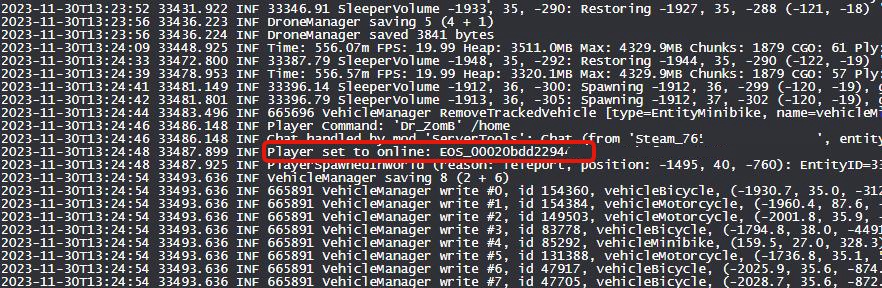
- If the player is playing on Epic/Xbox, you need their EOS ID, you can get that EOS ID from the Web Console button, ask the player to join the server, with Web Console open, and you will see his EOS ID like the image below, just remove the EOS_ part, only add the numbers.