
You can send notification messages when your server automatically restarts, automatically updates or starts and stops to a channel on your discord using webhooks, check below how.
- If you want to setup automatic server restarts with messages, check out this guide: How to setup automatic restarts with warning messages on your V Rising dedicated game server
- If you want to setup automatic server updates with messages, check out this guide: How to setup automatic server updates with warning messages on your V Rising dedicated game server
1. GENERATE DISCORD WEBHOOK URL
- Go to your Discord server, click on a channel, and then select the Edit Channel option
- Now go to the Integrations menu on the left, then click the Create Webhook button
- Type the Bot name and add an avatar to it if you want
- Click the Copy Webhook URL button and Save Changes at the end
- Use the Webhook URL on the Service Settings button
2. ENABLE DISCORD NOTIFICATION MESSAGES ON THE SERVER
- Go to the Service Settings button
- Select the Edit checkbox on the Discord messages option
- Paste the Discord Webhook URL that you got on the first part of this guide and press Execute at the end
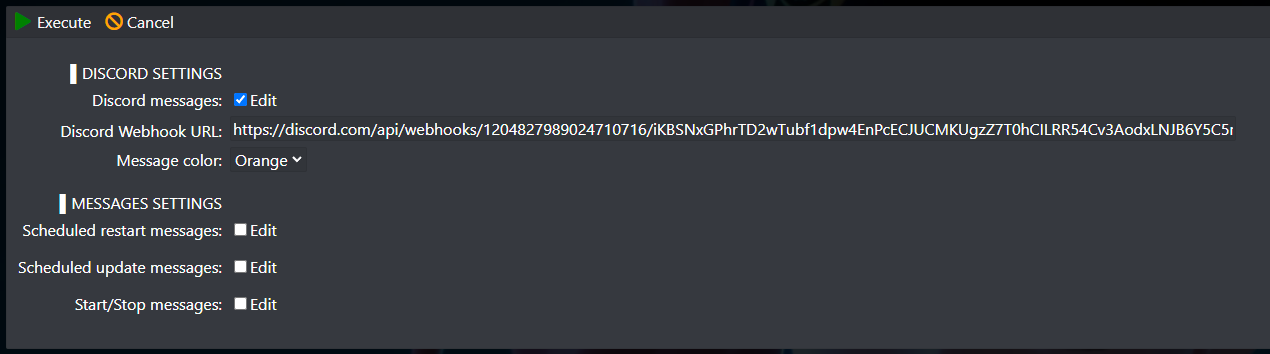
If you want to disable the discord notification messages, just delete the WebHook URL


